
MCA Selector
by Querz
Manage Minecraft chunks
Broad permissions
Flathub reviewed
MIT
v2.8
About
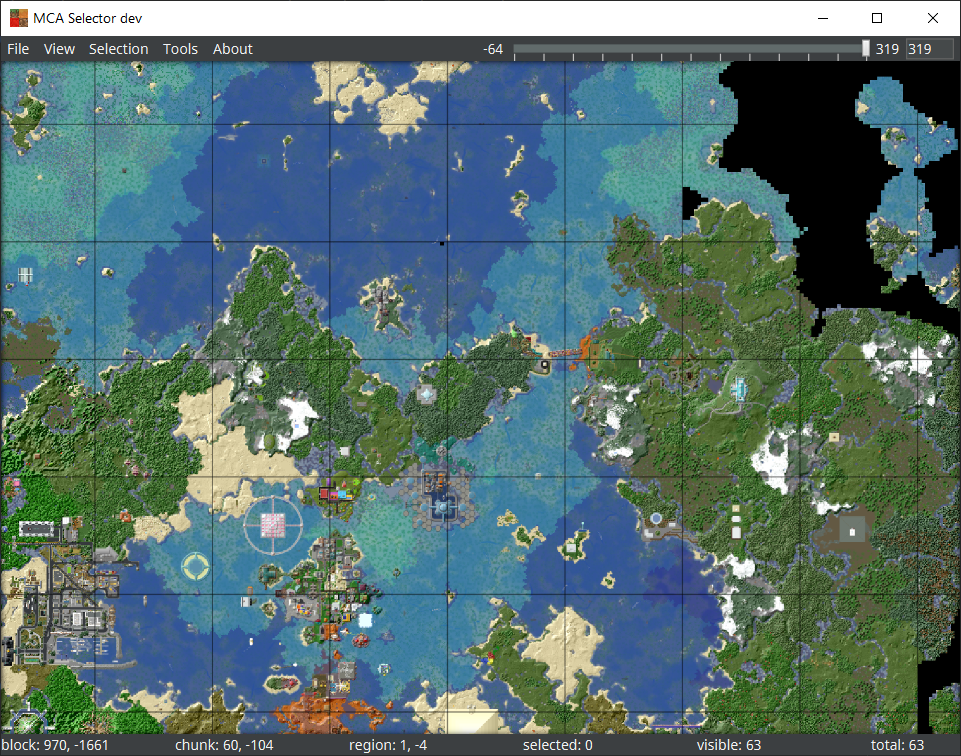
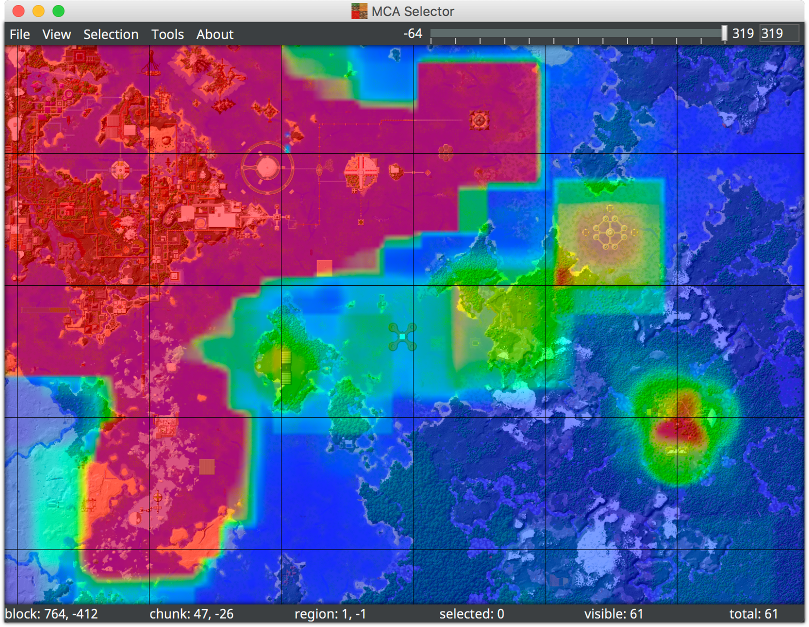
MCA Selector is an external tool for Minecraft Java Edition that lets you visualize, select, export, or delete world chunks and region files.
Common uses: trim large worlds, remove corrupted chunks, and export/import regions.
Key features:
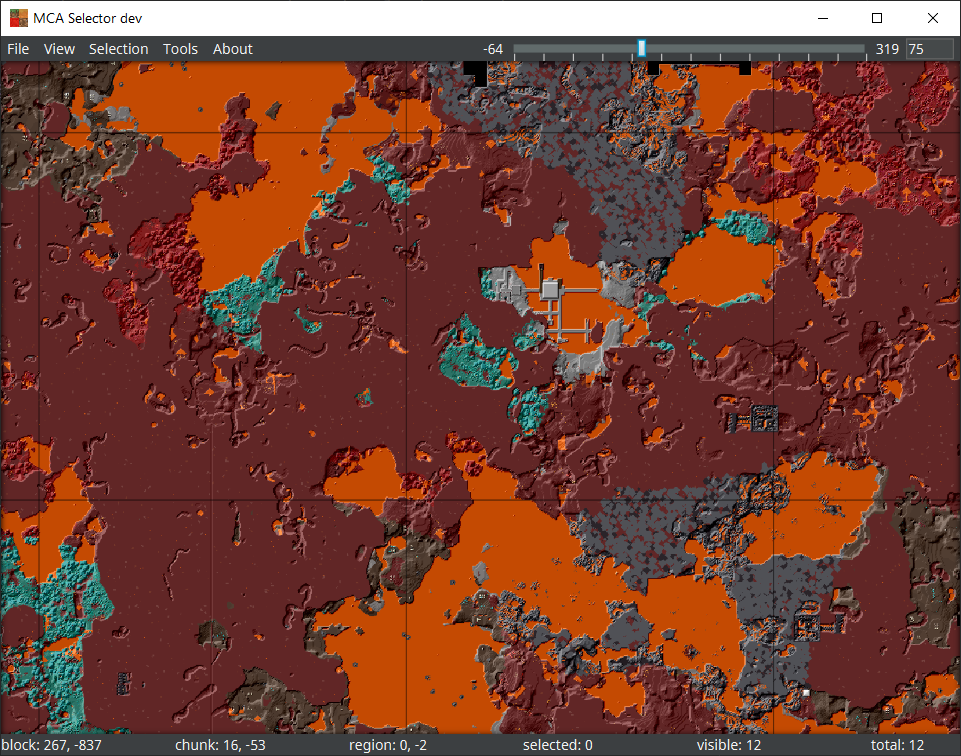
- Top-down map view — visual overview of regions and chunks for quick navigation and selection.
- Customizable overlays — display per-chunk values as color gradients with configurable min/max to visualize world data.
- Dimension switching — open/edit Overworld, Nether, and End (DIM-1/DIM1) region folders.
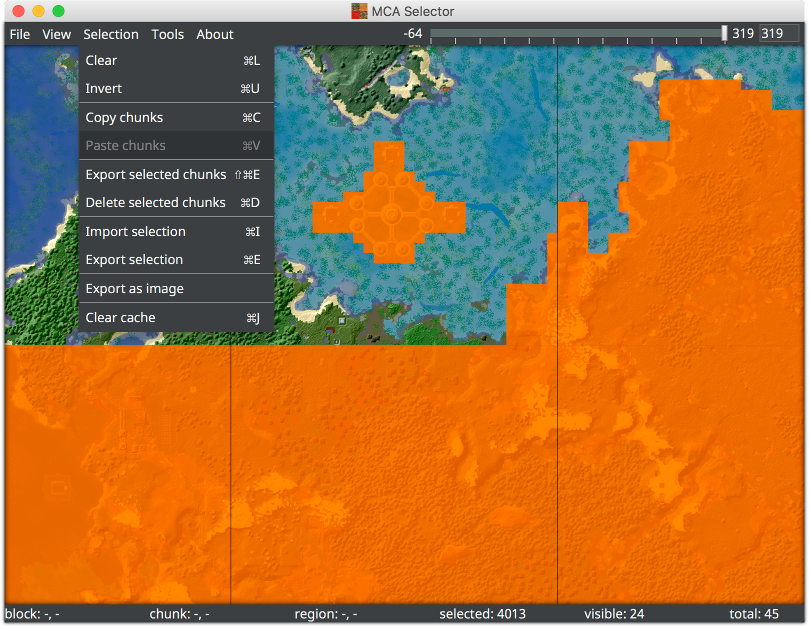
- Select/edit chunks individually or in groups
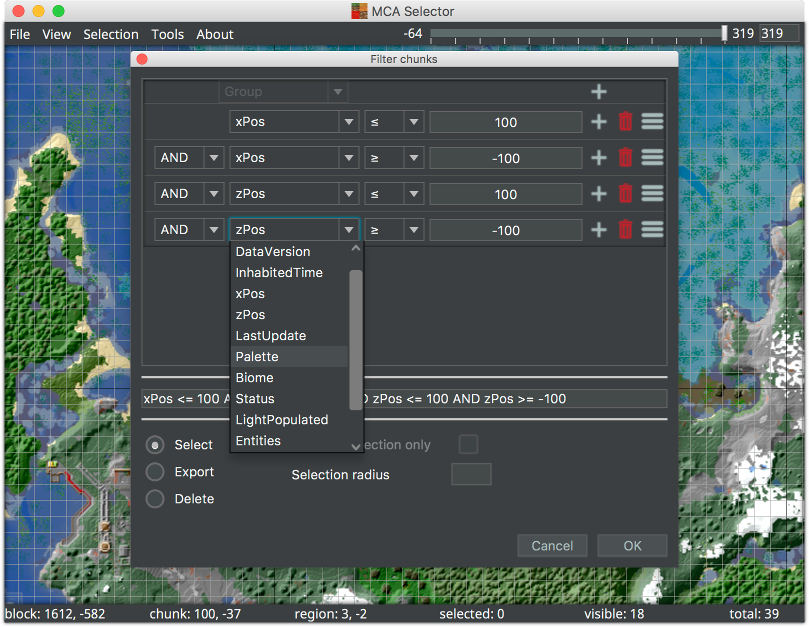
- Powerful chained filters — select chunks/regions by data version, last updated time, player inhabited time, coordinates, modification date and more (even scripting custom filters); multiple conditions can be combined for precise queries.
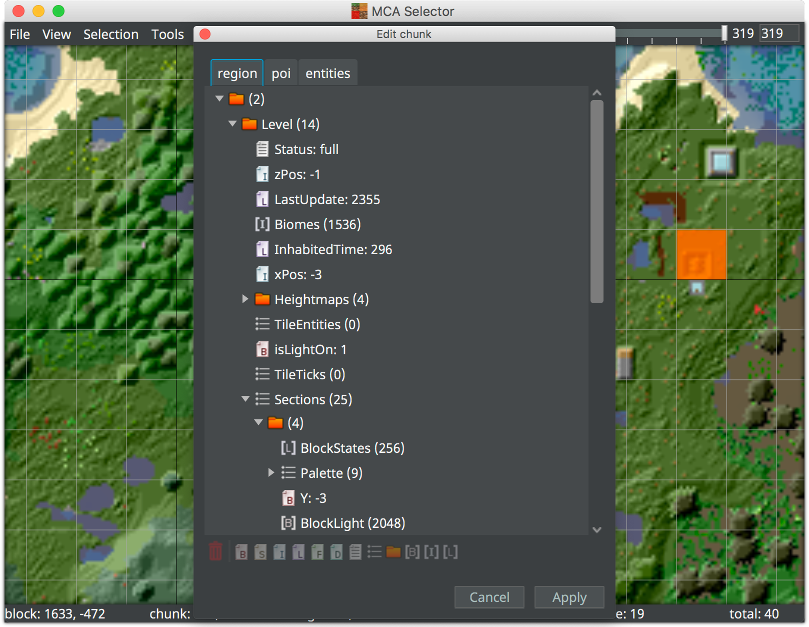
- Chunk Editor — view and edit the full NBT structure of a chunk, including POI and entity data; supports rename, add, delete, and drag‑and‑drop moves.
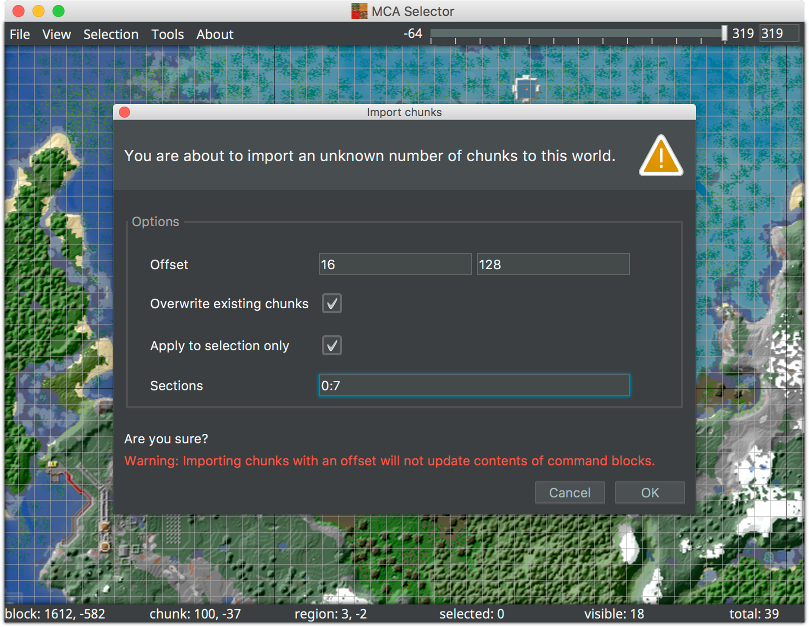
- Easy chunk import/export — copy chunks from one world to another.
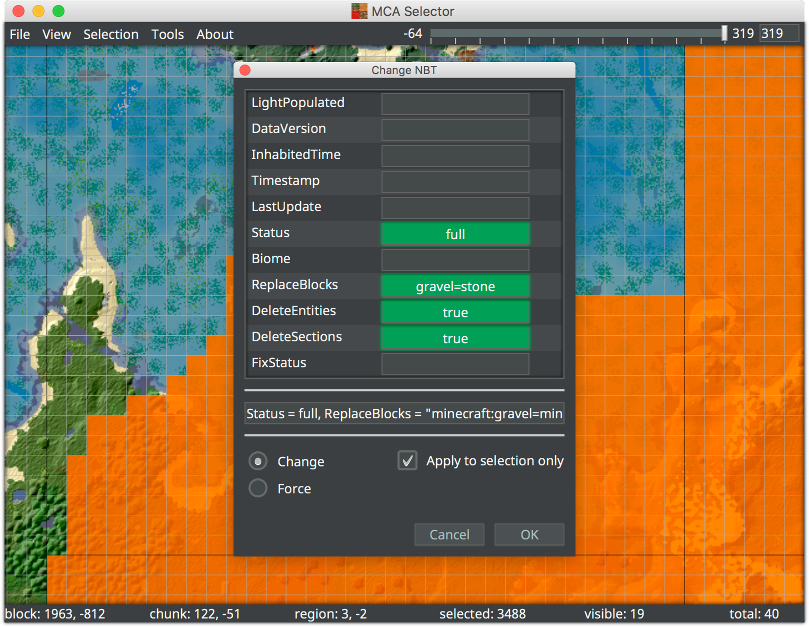
- NBT Changer — modify specific NBT values directly in world files.
- Chunk regeneration (delete to let Minecraft regenerate with new terrain)
Note that you should always back up your world before editing it with MCA Selector.
Permissions
1 permission weaken the sandbox. Flatsonar asks before installing.
- X11 display: X11 lets apps read input and windows of other apps
--socket=x11 - inter-process communication (needed for X11)
--share=ipc - GPU acceleration
--device=dri - access to ~/.var/app/ch.tlaun.TL/data/game/.minecraft
--filesystem=~/.var/app/ch.tlaun.TL/data/game/.minecraft - access to ~/.minecraft/saves
--filesystem=~/.minecraft/saves - access to ~/.var/app/org.prismlauncher.PrismLauncher/data/PrismLauncher/instances
--filesystem=~/.var/app/org.prismlauncher.PrismLauncher/data/PrismLauncher/instances - access to ~/.local/share/PolyMC/instances
--filesystem=~/.local/share/PolyMC/instances - access to ~/.var/app/org.polymc.PolyMC/data/PolyMC/instances
--filesystem=~/.var/app/org.polymc.PolyMC/data/PolyMC/instances - access to ~/.var/app/com.lunarclient.LunarClient/.minecraft/saves
--filesystem=~/.var/app/com.lunarclient.LunarClient/.minecraft/saves - access to ~/.var/app/ch.tlaun.TL/data/game/versions
--filesystem=~/.var/app/ch.tlaun.TL/data/game/versions - access to ~/.var/app/com.atlauncher.ATLauncher/data/instances
--filesystem=~/.var/app/com.atlauncher.ATLauncher/data/instances - access to ~/.local/share/PrismLauncher/instances
--filesystem=~/.local/share/PrismLauncher/instances - access to ~/.var/app/com.mojang.Minecraft/.minecraft/saves
--filesystem=~/.var/app/com.mojang.Minecraft/.minecraft/saves
Who publishes this
On Flathub: the manifest was reviewed and built on Flathub's infrastructure, but the developer has not verified ownership of the app id.
- installs a prebuilt binary instead of building from source (x2)
source:prebuilt - on Flathub: manifest reviewed and built by Flathub; the developer has not verified the app id
publisher:flathub
Maintenance
Recent activity on the upstream repository, or built and reviewed by Flathub.
No staleness signals: recent activity, or built and reviewed by Flathub.