
SONE
by Hassan Rabbi
Native TIDAL client for Linux — modern UI, bit-perfect lossless FLAC and Hi-Res audio
Support the creators
Flatsonar is just the shop window. The people below made SONE.
About
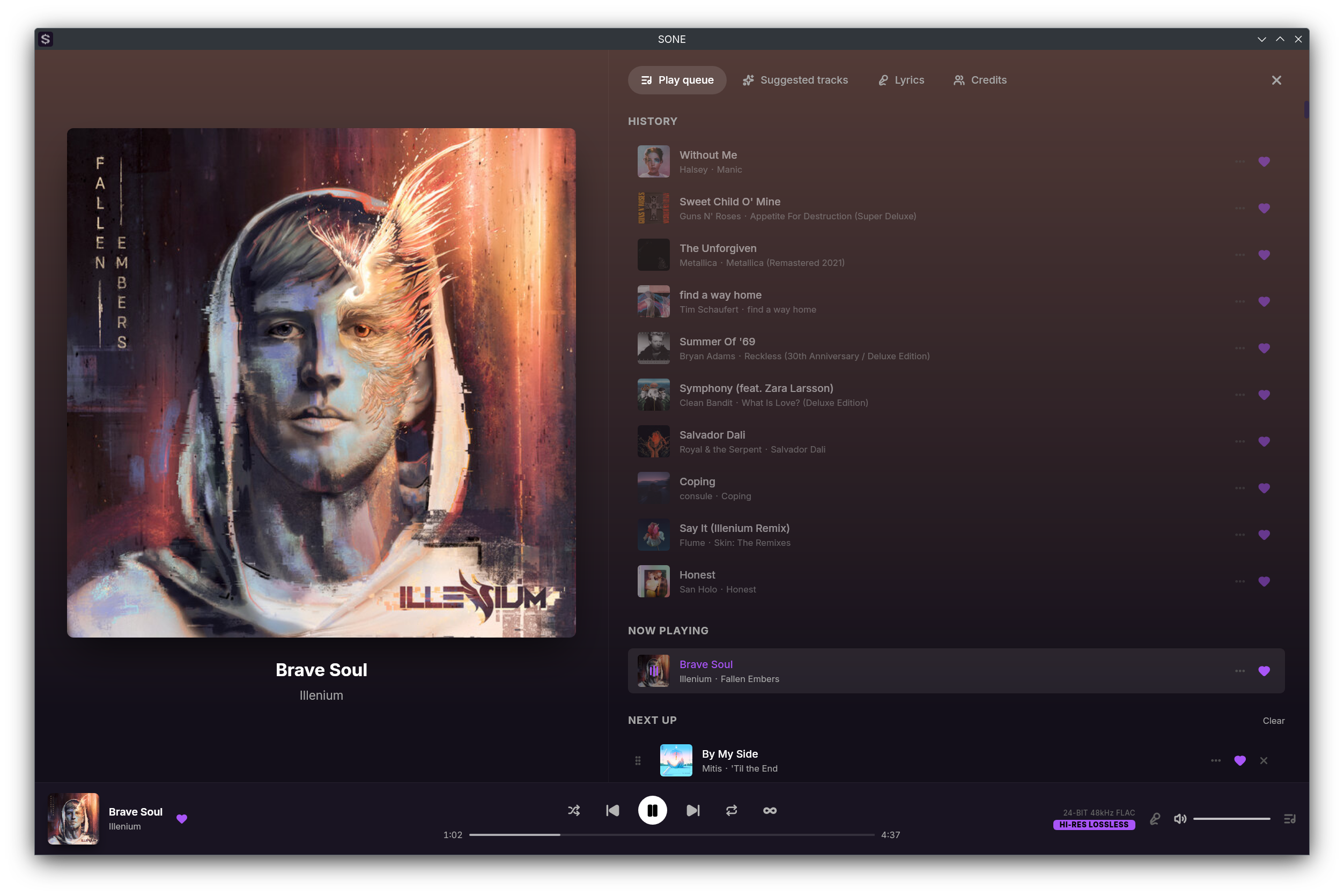
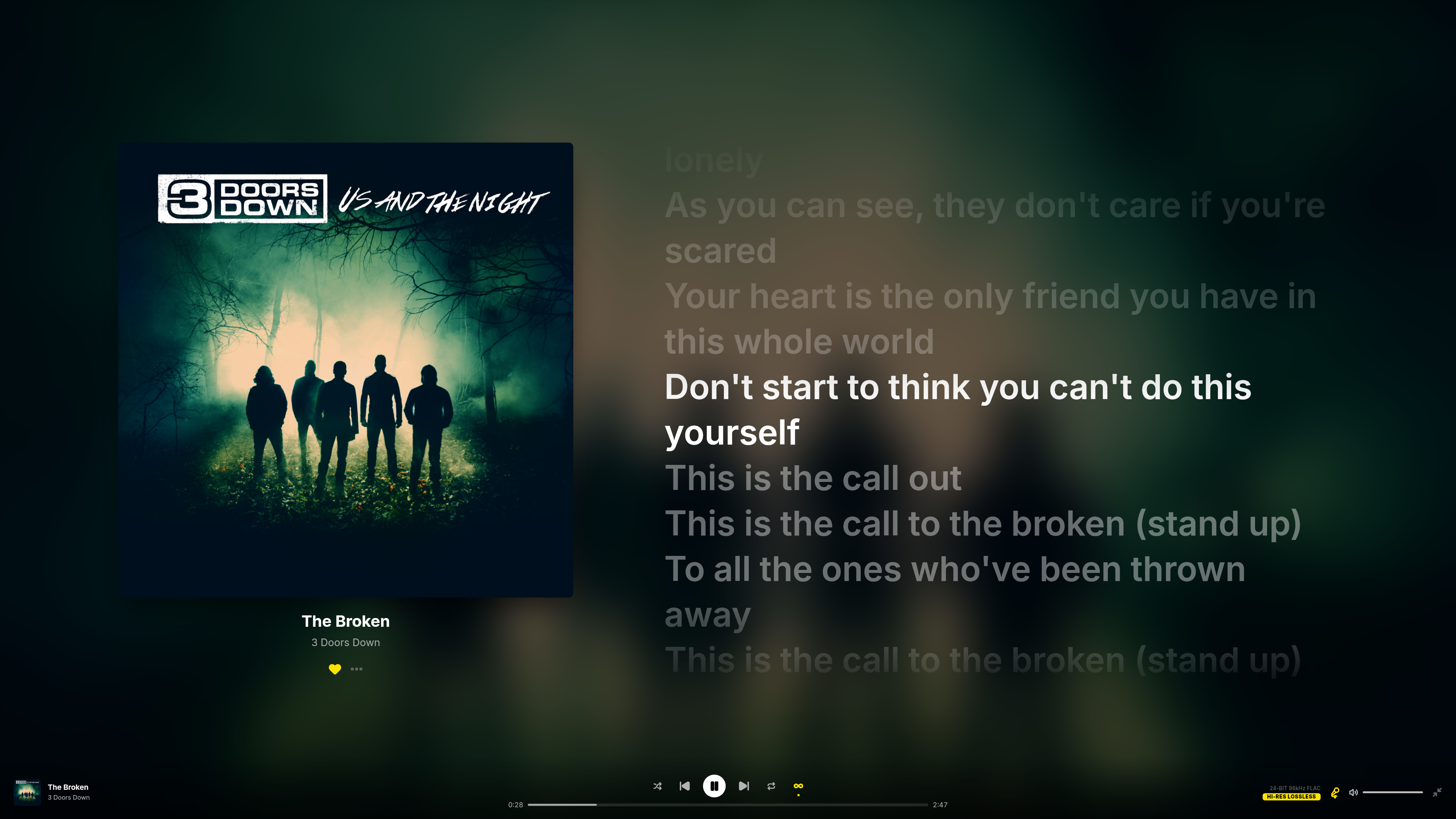
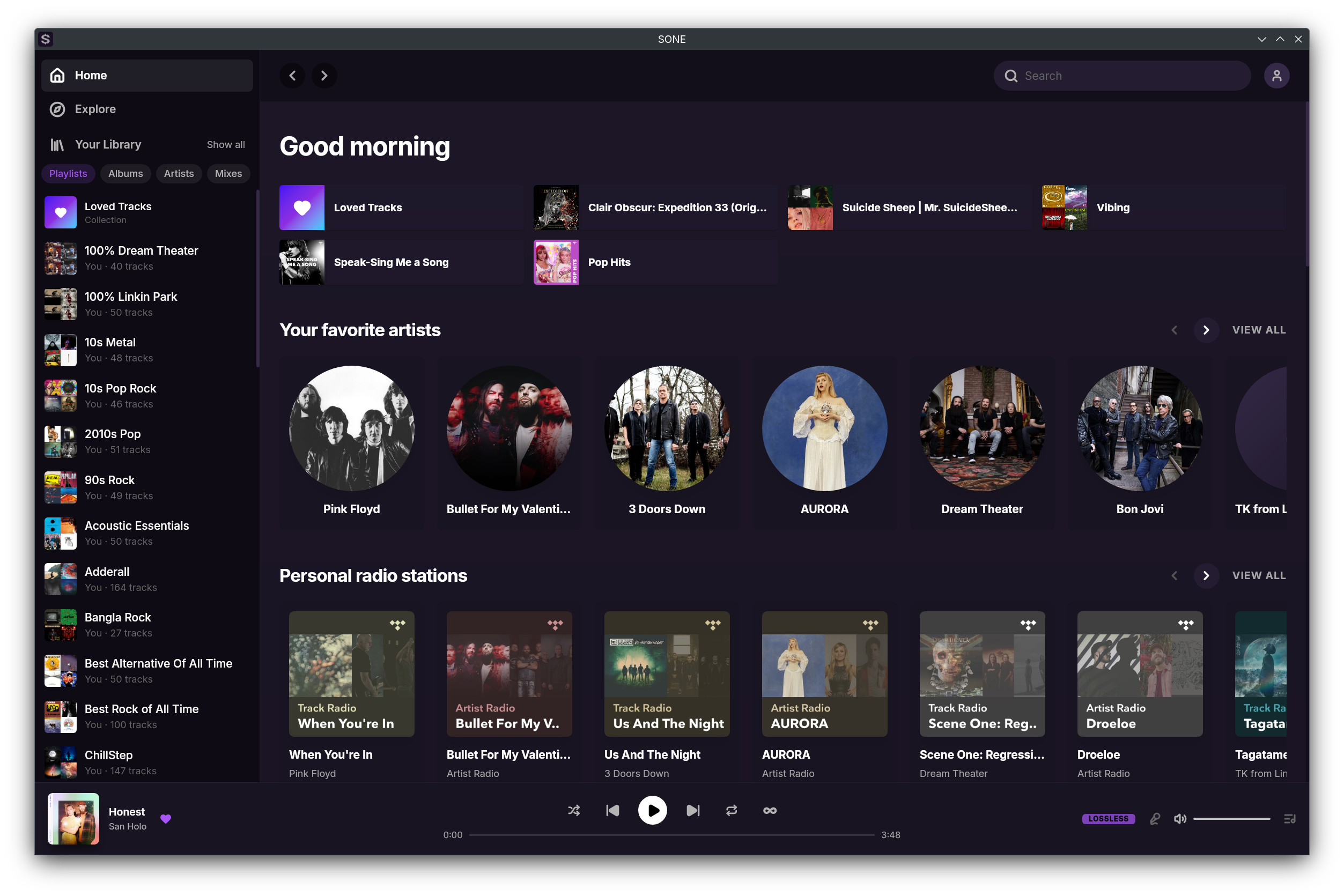
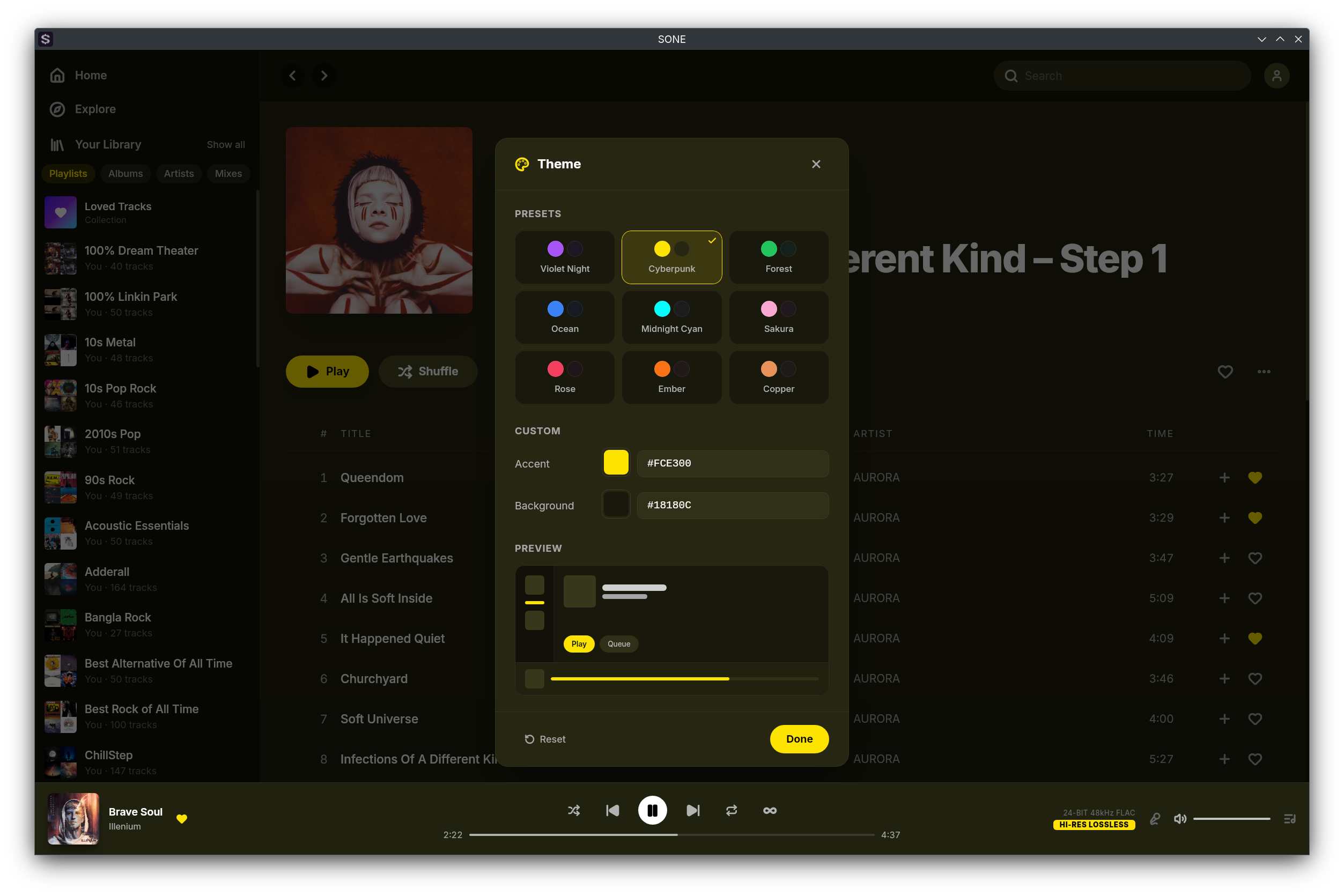
SONE is a native, lightweight desktop client for TIDAL on Linux that pairs a modern, polished interface with bit-perfect, lossless Hi-Res audio — no compromise on either. Built with Tauri and Rust, it's small and fully native. The interface is customizable to the core: a full-screen player with karaoke-style synced lyrics, a floating miniplayer, and a theming engine that derives a complete light or dark palette from any two colors.
It streams your library in lossless FLAC and Hi-Res quality up to 24-bit/192kHz, with gapless, silence-free playback. For bit-perfect output, exclusive ALSA mode bypasses PulseAudio and PipeWire entirely, sending the unaltered signal straight to your DAC — or use normal mode for casual listening through your system's default output.
Audio
- Lossless FLAC and Hi-Res streaming up to 24-bit/192kHz
- Exclusive ALSA output — bypasses PulseAudio and PipeWire, sending bit-perfect audio straight to your DAC
- Bit-perfect mode with bit-depth promotion to your DAC's native depth
- Automatic DAC format and sample-rate detection, with graceful fallback on mismatches
- Channel negotiation and a stereo mix matrix for fixed-channel DACs
- Hot-swap DACs — the ALSA output re-initialises on device change, no restart needed
- Signal Path Transparency — inspect the live pipeline and confirm a pristine, bit-clean path to your DAC
- Gapless, silence-free playback
- Volume normalization (ReplayGain) with automatic album/track switching
Video
- Music video playback in a dedicated player — full-screen or minimized to the player bar, with HLS streaming that starts at your selected quality and adapts to your bandwidth (video audio is streamed, not the bit-perfect path)
- Videos and tracks share one queue, with shuffle, repeat, autoplay, and history across both
- Favorite videos, browse them in Loved Tracks/Videos tabs, add them to playlists, and find them in Explore and search
Interface and customization
- Modern, fully customizable light and dark themes
- 15 theme presets and a full color picker that derives a complete palette from any two colors
- Full-screen player with album art, a blurred backdrop, and auto-hiding controls
- Karaoke-style synced lyrics
- Floating, resizable miniplayer
- Tabbed home page that remembers your last view
- Optional custom title bar — toggle native window decorations
- Customizable in-app keyboard shortcuts
Library and playback
- Browse your library, playlists, albums, artists, and mixes
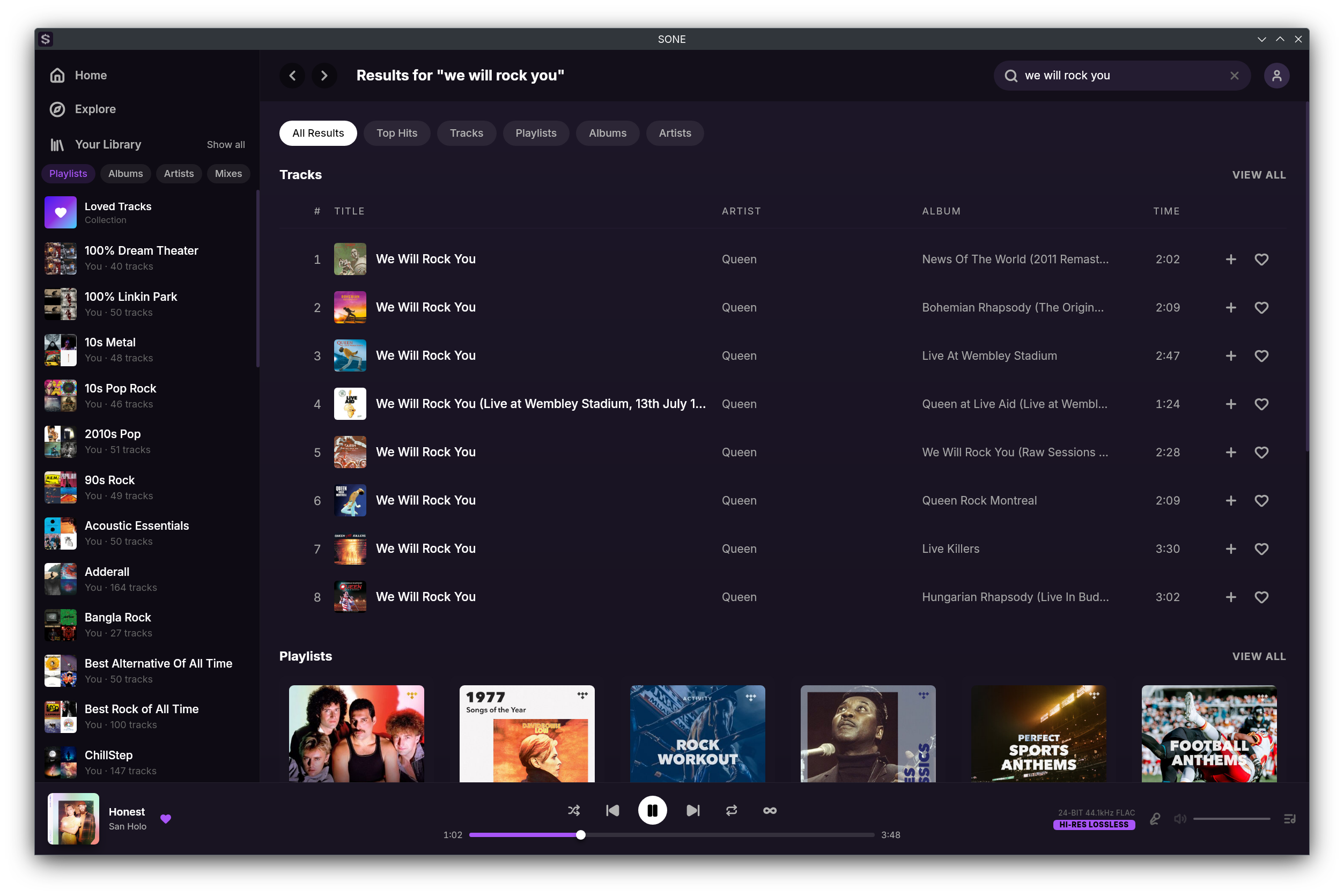
- Personalized home feed and full catalog search
- Playlist management — folders, create, rename, edit, reorder, and public/private toggle
- Sort tracks and favorites by date added, name, or artist
- Queue with append and persistence across restarts
- Track and mix radio
- Explicit-content filter
Integrations and system
- Scrobble to Last.fm, Libre.fm, and ListenBrainz with ISRC and MusicBrainz metadata
- Discord Rich Presence with album art and a customizable status
- MPRIS media controls with media-key, position, shuffle, repeat, and seek support
- System tray with single-instance focus
- Open and share tidal:// deep links for tracks, albums, playlists, artists, and mixes
- Keep Awake — prevents the screen from sleeping during playback on X11, Wayland, and D-Bus
- MCP server — external AI agents like Claude Code can search your library and control playback (off by default)
- OBS stream overlay — a built-in browser source shows the current track, album art, and a live progress bar in OBS and other streaming software, styled with your theme (off by default)
- Play reporting — finished plays are reported to TIDAL so Recently Played stays in sync (on by default)
- Proxy support — HTTP, HTTPS, and SOCKS5
- Sign in securely with PKCE inside the app
Unofficial client — requires an active TIDAL subscription. SONE is a streaming client only and does not support offline downloads.
Permissions
Everything this app can reach outside its sandbox. Nothing here weakens it.
- inter-process communication (needed for X11)
--share=ipc - network
--share=network - X11 display, only when Wayland is unavailable
--socket=fallback-x11 - audio
--socket=pulseaudio - Wayland display
--socket=wayland - GPU acceleration
--device=dri - access to xdg-run/discord-ipc-6
--filesystem=xdg-run/discord-ipc-6:ro - access to xdg-run/discord-ipc-9
--filesystem=xdg-run/discord-ipc-9:ro - access to xdg-run/.flatpak/dev.vencord.Vesktop/xdg-run
--filesystem=xdg-run/.flatpak/dev.vencord.Vesktop/xdg-run:ro - access to xdg-run/app/dev.vencord.Vesktop
--filesystem=xdg-run/app/dev.vencord.Vesktop:create - access to xdg-run/snap.discord
--filesystem=xdg-run/snap.discord:ro - access to xdg-run/discord-ipc-1
--filesystem=xdg-run/discord-ipc-1:ro - access to xdg-run/discord-ipc-4
--filesystem=xdg-run/discord-ipc-4:ro - access to xdg-run/discord-ipc-7
--filesystem=xdg-run/discord-ipc-7:ro - access to xdg-run/.flatpak/com.discordapp.Discord/xdg-run
--filesystem=xdg-run/.flatpak/com.discordapp.Discord/xdg-run:ro - access to xdg-run/discord-ipc-2
--filesystem=xdg-run/discord-ipc-2:ro - access to xdg-run/app/com.discordapp.DiscordCanary
--filesystem=xdg-run/app/com.discordapp.DiscordCanary:create - access to xdg-run/discord-ipc-5
--filesystem=xdg-run/discord-ipc-5:ro - access to xdg-run/discord-ipc-8
--filesystem=xdg-run/discord-ipc-8:ro - access to xdg-run/snap.discord-canary
--filesystem=xdg-run/snap.discord-canary:ro - access to xdg-run/discord-ipc-0
--filesystem=xdg-run/discord-ipc-0:ro - access to xdg-run/app/com.discordapp.Discord
--filesystem=xdg-run/app/com.discordapp.Discord:create - access to xdg-run/discord-ipc-3
--filesystem=xdg-run/discord-ipc-3:ro - system tray
--talk-name=org.kde.StatusNotifierWatcher
Who publishes this
The creator demonstrably controls this app id: Flathub verification, the hosting account owns the namespace, or a well-known file on their domain.
- verified on Flathub: the developer proved they control this app id
publisher:flathub
Maintenance
Recent activity on the upstream repository, or built and reviewed by Flathub.
No staleness signals: recent activity, or built and reviewed by Flathub.