
Follamac
by Petr Kovář
Work with Ollama from GUI
About
You need Ollama running on your localhost with some model. Once Ollama is running the model can be pulled from follamac or from command line. From command line type something like: ollama pull llama3 If you wish to pull from follamac you can write llama3 into "Model name to pull" input box and click the PULL button.
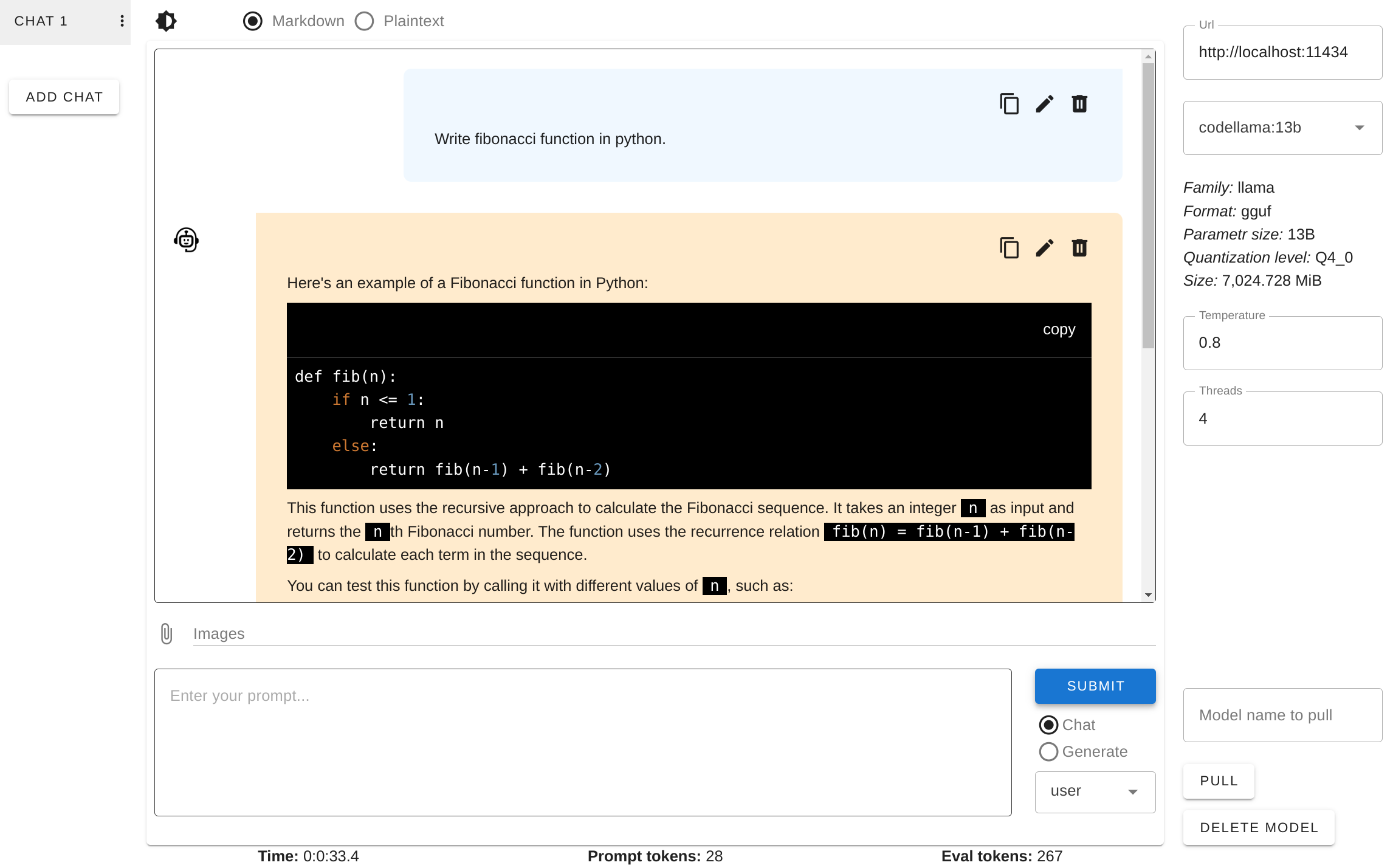
Follamac is a desktop application which provides convenient way to work with Ollama and large language models (LLMs) and provides these features:
- pulling/deleting models
- sending prompts to Ollama (chat or generate)
- selecting role for a message in the chat mode and possibility to send a system message with the generate mode - basic options (temperature, threads)
- basic info about selected model
- code highlighting
- multiple chats
- editing/deleting chats
- editing/deleting messages
- copy code or whole message to clipboard
- light and dark theme (defaults to the system setting)
Permissions
1 permission weaken the sandbox. Flatsonar asks before installing.
- X11 display: X11 lets apps read input and windows of other apps
--socket=x11 - network
--share=network - inter-process communication (needed for X11)
--share=ipc - audio
--socket=pulseaudio - GPU acceleration
--device=dri
Who publishes this
On Flathub: the manifest was reviewed and built on Flathub's infrastructure, but the developer has not verified ownership of the app id.
- on Flathub: manifest reviewed and built by Flathub; the developer has not verified the app id
publisher:flathub
Maintenance
Recent activity on the upstream repository, or built and reviewed by Flathub.
No staleness signals: recent activity, or built and reviewed by Flathub.