
Fan Control
by wiiznokes
Control your fans with different behaviors
Support the creators
Flatsonar is just the shop window. The people below made Fan Control.
About
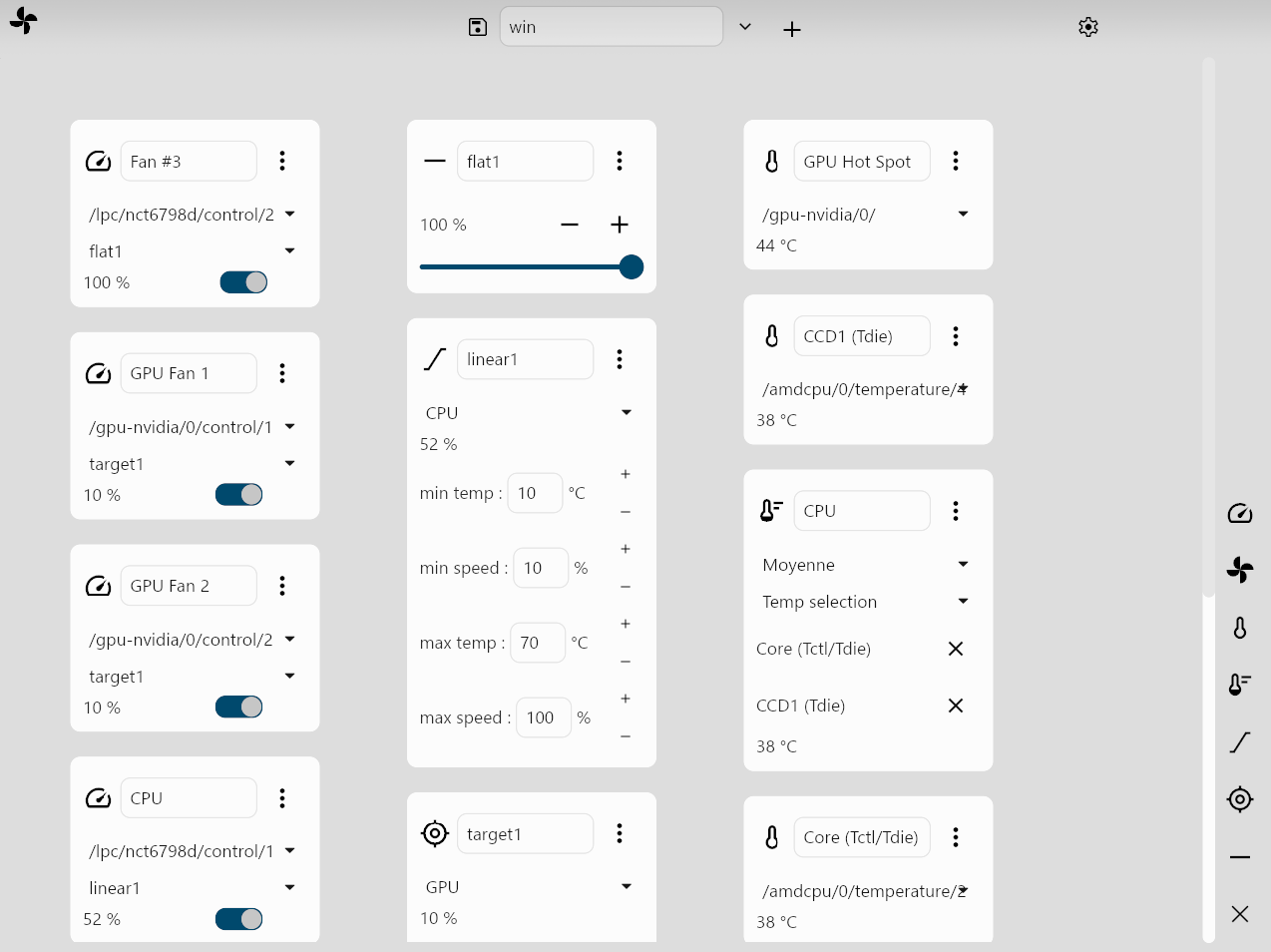
You can add items with the buttons on the right of the app. To save a configuration, write a name in the "Configuration name" field, and click on the +. To modify the value of a fan, you must select it in a Control item (the left column), select a Behavior, and activate the swtich.
- Display sensors data on real time
- Control fans based on custom behaviors
- Save configuration
Note: After installation, you will need to add the necessary udev rule to your system for this to work. See the GitHub page for more details.
Permissions
2 permissions weaken the sandbox. Flatsonar asks before installing.
- all devices (/dev): webcams, disks, raw hardware
--device=all - X11 display: X11 lets apps read input and windows of other apps
--socket=x11 - inter-process communication (needed for X11)
--share=ipc - Wayland display
--socket=wayland - X11 display, only when Wayland is unavailable
--socket=fallback-x11 - access to /sys
--filesystem=/sys - talks to com.system76.CosmicSettingsDaemon
--talk-name=com.system76.CosmicSettingsDaemon
Who publishes this
The creator demonstrably controls this app id: Flathub verification, the hosting account owns the namespace, or a well-known file on their domain.
- verified on Flathub: the developer proved they control this app id
publisher:flathub
Maintenance
Recent activity on the upstream repository, or built and reviewed by Flathub.
No staleness signals: recent activity, or built and reviewed by Flathub.