
Jitsi Meet
by Jitsi Team
Jitsi Meet - Secure, Simple and Scalable Video Conferences
Dangerous permissions
Flathub reviewed
Apache-2.0
v2026.8.0
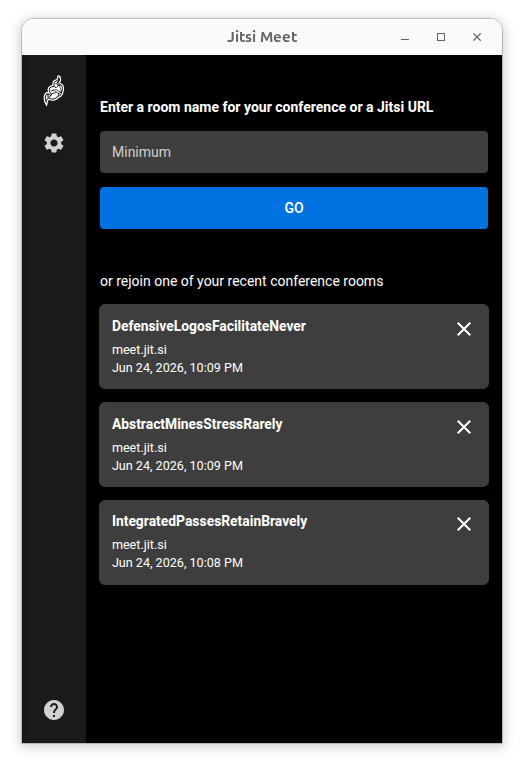
About
Jitsi Meet lets you stay in touch with all your teams, be they family, friends, or colleagues. Instant video conferences, efficiently adapting to your scale.
- Works with any Jitsi deployment.
- Unlimited users: There are no artificial restrictions on the number of users or conference participants. Server power and bandwidth are the only limiting factors.
- No account needed.
- Lock-protected rooms: Control the access to your conferences with a password.
- Encrypted by default.
- Experimental End-to-End Encryption support for further enhanced security.
- High quality: Audio and video are delivered with the clarity and richness of Opus, VP8, VP9, AV1.
- Web browser ready: No downloads are required of your friends to join the conversation. Jitsi Meet works directly within their browsers as well. Simply share your conference URL with others to get started.
- 100% open source: Powered by awesome communities from all over the world. And your friends at 8x8.
- Invite by pretty URLs: You can meet at the easy to remember https://MySite.com/OurConf of your choice instead of joining the hard to remember rooms with seemingly random sequences of numbers and letters in their names.
- Support for jitsi-meet:// URLs, for linking directly to conversations.
Permissions
2 permissions weaken the sandbox. Flatsonar asks before installing.
- all devices (/dev): webcams, disks, raw hardware
--device=all - session management (logout, suspend)
--talk-name=org.freedesktop.login1 - inter-process communication (needed for X11)
--share=ipc - network
--share=network - X11 display, only when Wayland is unavailable
--socket=fallback-x11 - audio
--socket=pulseaudio - Wayland display
--socket=wayland - session inhibit
--talk-name=org.gnome.SessionManager - notifications
--talk-name=org.freedesktop.Notifications - screensaver inhibit
--talk-name=org.freedesktop.ScreenSaver - talks to org.freedesktop.PowerManagement
--talk-name=org.freedesktop.PowerManagement
Who publishes this
On Flathub: the manifest was reviewed and built on Flathub's infrastructure, but the developer has not verified ownership of the app id.
- installs a prebuilt binary instead of building from source (x2)
source:prebuilt - on Flathub: manifest reviewed and built by Flathub; the developer has not verified the app id
publisher:flathub
Maintenance
Recent activity on the upstream repository, or built and reviewed by Flathub.
No staleness signals: recent activity, or built and reviewed by Flathub.