
Zim
by Jaap Karssenberg
Write notes in a desktop wiki
About
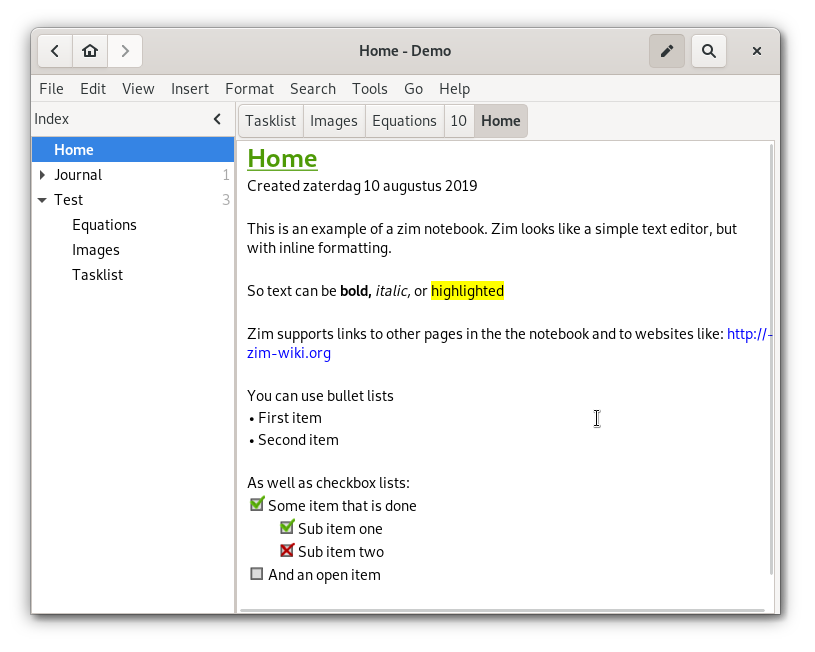
Zim brings the power of a wiki to your desktop, providing a neat and structured way to take notes and record your thoughts. Each page in Zim is automatically saved as text file with wiki markup, including the ability to link pages and to add other files as attachments. Pages in Zim are also displayed in the sidebar in a hierarchical tree style layout to help organize your notes better.
Various plugins provide additional functionality, like a task list manager, an equation editor, a tray icon, and support for version control.
Zim can be used to:
- Keep an archive of notes
- Keep a daily or weekly journal
- Take notes during meetings or lectures
- Organize task lists
- Draft blog entries and emails
- Do brainstorming
Permissions
3 permissions weaken the sandbox. Flatsonar asks before installing.
- sandbox escape: can run commands on the host via flatpak-spawn
--talk-name=org.freedesktop.Flatpak - X11 display: X11 lets apps read input and windows of other apps
--socket=x11 - full access to your home folder
--filesystem=home - inter-process communication (needed for X11)
--share=ipc - network
--share=network - Wayland display
--socket=wayland - access to /media
--filesystem=/media - access to /run/media
--filesystem=/run/media - system tray
--talk-name=org.kde.StatusNotifierWatcher - talks to com.canonical.indicator.application
--talk-name=com.canonical.indicator.application
Who publishes this
On Flathub: the manifest was reviewed and built on Flathub's infrastructure, but the developer has not verified ownership of the app id.
- on Flathub: manifest reviewed and built by Flathub; the developer has not verified the app id
publisher:flathub
Maintenance
Recent activity on the upstream repository, or built and reviewed by Flathub.
No staleness signals: recent activity, or built and reviewed by Flathub.